Home
Home
Creative Gemini Prompts for Professional Christmas Photos and Portraits
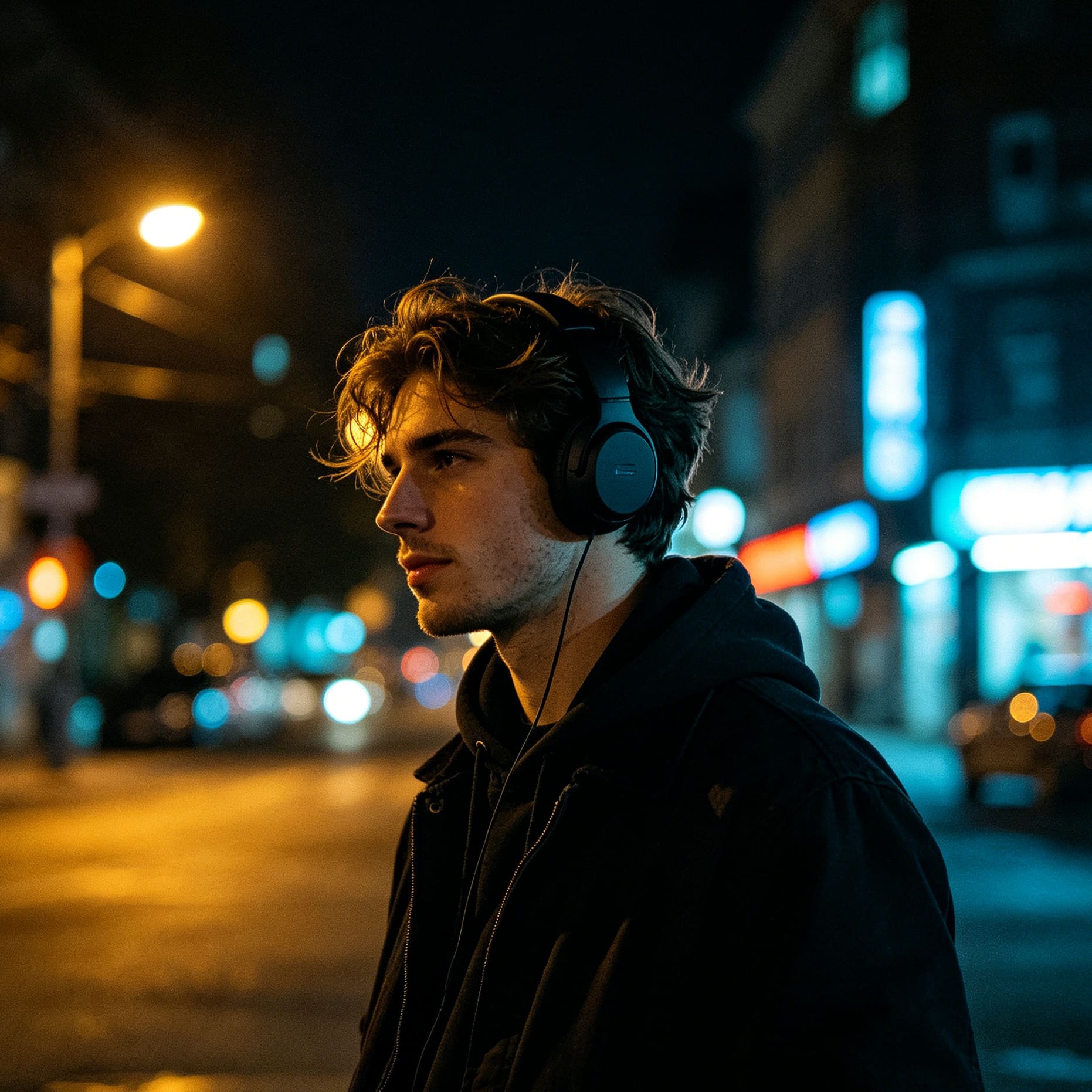
The evolution of generative AI has transformed holiday photography from a weekend-long project into a matter of seconds. Using Google Gemini to create Christmas photos allows for a level of creativity and polish that was previously reserved for professional studios with high-end lighting rigs. To get the most out of Gemini’s image generation capabilities, the prompt is the most critical element. A generic request like "make a Christmas photo" will result in a generic image. However, by using specific atmospheric descriptions and technical photography terms, you can produce stunning, lifelike portraits and scenes.
The most effective formula for a Gemini Christmas prompt consists of five parts: Subject + Setting + Wardrobe & Props + Lighting & Mood + Camera Technicals. By layering these elements, you guide the AI to render specific textures, accurate light reflections, and emotional resonance.
Mastering the Architecture of a Great Christmas Prompt
Before diving into the specific prompt library, it is essential to understand the visual logic that Gemini uses. Christmas imagery relies heavily on the "warm vs. cold" contrast—the warm glow of indoor lights against the cool, blue tones of winter.
The Subject and Expression
When defining the subject, go beyond "a person." Describe their age, hair texture, and most importantly, their emotion. For holiday photos, terms like "joyful," "nostalgic," "contemplative," or "wide-eyed wonder" help the AI set the facial muscles correctly. If you are uploading a personal photo to Gemini as a reference, you must explicitly state: "Maintain the facial features of the uploaded person exactly."
Setting and Atmosphere
The environment provides the context for the holiday spirit. You can choose between "Cozy Hygge" (indoor with fireplaces and blankets), "Urban Festive" (city streets with neon decorations), or "Natural Winter" (snow-covered forests).
Lighting: The Secret Ingredient
Lighting defines the quality of an AI-generated photo. To achieve a professional look, use these specific terms:
- Bokeh: Creates those beautiful, blurry circles of light in the background.
- Golden Hour: Provides a soft, warm, directional light.
- Candlelit: Adds high contrast and intimate warmth to the skin.
- Rembrandt Lighting: A classic portrait technique that creates a small triangle of light on the cheek, adding depth.
Cinematic Individual Portraits
Individual portraits are often used for social media profiles or digital greeting cards. These prompts focus on high detail, skin texture realism, and depth of field.
1. The Cozy Knits Portrait
Prompt: Create a hyper-realistic 8k portrait of a young woman with natural wavy hair, wearing a thick, chunky-knit cream-colored turtleneck sweater. She is sitting near a blurred Christmas tree where the fairy lights create a soft gold bokeh effect. Her expression is calm and content. Lighting should be soft, coming from the side as if from a nearby fireplace. Use a shallow depth of field, 85mm lens style, professional photography.
Why this works: The mention of "chunky-knit" forces the AI to render complex textures, which increases the perceived realism. The "85mm lens" instruction ensures the focus remains sharp on the face while the background stays soft.
2. The Red Beret Urban Winter
Prompt: A stylish close-up portrait of a man in his late 20s wearing a festive red wool beret and a dark charcoal overcoat. He is standing in a busy city square at dusk during a light snowfall. In the background, there are blurred holiday shop windows and street lamps casting a warm glow on the snowflakes. The lighting is "blue hour" cinematic style with warm highlights on his face. High resolution, sharp focus on eyes.
3. The Candlelit Reflection
Prompt: A dramatic, intimate portrait of a person looking at a lit candle held in their hands. The warm orange light of the flame is the primary light source, creating deep shadows and highlights on their facial features. They are wearing a dark velvet robe. The background is almost entirely dark, with just a hint of a decorated evergreen branch. Emotional, quiet, and reflective mood. Photorealistic, 4k.
Heartwarming Family and Group Prompts
Generating group photos can be challenging for AI. The key is to describe the interaction between the subjects to avoid "static" or "robotic" poses.
4. The Morning Gift Opening
Prompt: A wide-angle lifestyle photo of a family of four—two parents and two young children—sitting on a plush rug in a sun-drenched living room on Christmas morning. They are surrounded by torn wrapping paper and colorful gifts. The children are laughing while holding a new toy. A tall, 7-foot Christmas tree stands in the corner, decorated with heirloom ornaments. Natural morning sunlight is streaming through a large window, creating a bright, airy, and joyful atmosphere.
5. The Classic Norman Rockwell Style
Prompt: Restyle a scene of a multi-generational family gathered around a large wooden dining table for Christmas dinner. The table is set with a roasted turkey, candles, and festive greenery. The style should mimic a classic Norman Rockwell painting, with warm nostalgic colors, expressive faces, and a soft oil-painted texture. Everyone is mid-laugh, looking at the grandfather who is carving the turkey.
6. The Matching Pajama Couch Cuddle
Prompt: A cozy indoor photo of a couple and their golden retriever sitting on a large grey sofa, all wearing matching red and green plaid flannel pajamas. They are covered with a thick wool blanket and are holding mugs of steaming hot cocoa with marshmallows. The living room is decorated with warm string lights and a "Merry Christmas" banner. Soft, warm lighting, high detail, realistic textures.
Outdoor Winter Wonderlands
Outdoor scenes allow Gemini to showcase its ability to handle environmental physics, such as snow accumulation and atmospheric haze.
7. The Vintage Car Holiday Adventure
Prompt: An 8k realistic photo of a vintage red 1960s station wagon with a fresh green pine tree strapped to the roof. The car is parked on a snowy mountain road lined with frosted pine trees. The sun is setting, casting a long, golden shadow across the pristine white snow. The sky is a gradient of pink and orange. Cinematic wide shot, ultra-detailed, 35mm film aesthetic.
Expert Note: Mentioning a specific car era (e.g., "1960s") helps Gemini narrow down the design language, adding a touch of sophisticated nostalgia to the image.
8. The European Christmas Market
Prompt: A vibrant, bustling scene of a traditional European Christmas market at night. Wooden stalls are decorated with garlands and lit with warm bulbs, selling ornaments and gingerbread. People in heavy winter coats are walking through the market, with steam rising from their cups of mulled wine. Light snow is falling. The background features a gothic-style cathedral with a large illuminated star. High contrast, colorful, and festive.
9. The Solitary Cabin in the Woods
Prompt: A wide landscape shot of a small A-frame wooden cabin nestled deep in a snow-covered pine forest. The cabin windows are glowing with a warm yellow light, suggesting a cozy fire inside. A small wreath hangs on the front door. Smoke is gently rising from the chimney into a dark, starry winter sky. The ground is covered in deep, untouched snow. Peaceful, serene, and magical atmosphere.
Whimsical and Fantasy Christmas Scenes
Sometimes, you want photos that defy reality. These prompts lean into the "magic" of the season.
10. The Miniature Snow Globe World
Prompt: A macro photo of a glass snow globe sitting on a wooden table. Inside the globe is a highly detailed miniature village with tiny people skating on a frozen pond. The globe is glowing from within. Outside the globe, the real-world background is a blurred living room with a Christmas tree. The reflection on the glass of the globe shows the twinkling lights of the room. Whimsical, magical, and high definition.
11. Santa’s High-Tech Workshop
Prompt: A 3D Pixar-style render of Santa’s workshop, but with a modern, high-tech twist. Elves are using holographic screens to design toys. The workshop is filled with glowing blue and green lights, contrasting with traditional red and gold decorations. Santa is in the center, wearing a sleek, modern version of his suit, looking at a digital map of the world. Bright, cheerful, and highly imaginative.
12. The Ethereal Northern Lights Christmas
Prompt: A group of people standing on a snowy tundra, looking up at a massive, vibrant display of the Aurora Borealis in the shape of a Christmas tree. The snow on the ground reflects the neon greens and purples of the sky. A few reindeer are visible in the distance. The atmosphere is ethereal, dreamlike, and awe-inspiring. Use a wide-angle lens, long exposure photography style.
Vintage and Nostalgic Holiday Aesthetics
Nostalgia is a powerful tool in holiday imagery. These prompts focus on mimicking the film stocks and artistic styles of the past.
13. The 1970s Polaroid Snapshot
Prompt: A vintage 1970s Polaroid-style photo of a child sitting on a shag rug in front of a silver tinsel Christmas tree. The child is wearing a retro striped sweater and holding a classic toy. The photo has a slight light leak, a warm yellowish tint, and visible film grain. The colors are slightly faded, giving it an authentic "found footage" family archive feel.
14. The Mid-Century Magazine Ad
Prompt: An illustration in the style of a 1950s Coca-Cola Christmas advertisement. A cheerful, rosy-cheeked Santa Claus is taking a break in a cozy kitchen, holding a glass bottle. The colors are vibrant reds and whites, with a clean, painterly finish. The background is a simplified, idealized American home. Nostalgic, bright, and iconic.
15. The Victorian Candlelit Evening
Prompt: A photorealistic reconstruction of a Victorian-era Christmas. A family in 19th-century formal attire is gathered around a tree decorated with real lit candles and dried fruit. The room is filled with dark wood furniture and heavy drapes. The primary light comes from the candles and a grand fireplace. The mood is formal yet warm. Sepia-toned accents, high historical detail.
Festive Pets and Animals
Pets are a central part of the holiday season, but they are notoriously difficult to photograph in real life. AI solves this perfectly.
16. The Golden Retriever in Fairy Lights
Prompt: A close-up, heartwarming photo of a Golden Retriever puppy sitting calmly while wrapped in a string of warm white fairy lights. The puppy is wearing a tiny red Santa hat that is slightly tilted. Its eyes are bright and reflecting the lights. The background is a soft-focus living room. Extremely high detail on the fur, soft cinematic lighting, joyful mood.
17. The Grumpy Christmas Cat
Prompt: A humorous photo of a fluffy grey cat wearing a "Bah Humbug" sweater. The cat has a grumpy, unimpressed expression while sitting next to a pile of tangled tinsel. One piece of tinsel is stuck to its ear. Sharp focus on the cat’s face and whiskers, soft blurred background of a festive room. High resolution, realistic animal photography.
Technical Guide: How to Refine Your Gemini Results
Once you have your initial image from a prompt, the work isn't always done. Gemini allows for iterative improvements. Understanding how to "talk back" to the AI will significantly improve your final result.
Adjusting Aspect Ratios
Depending on where you intend to use the photo, you should specify the aspect ratio. While Gemini often defaults to square (1:1), you can request others:
- Portrait (4:5 or 9:16): Best for Instagram Stories, TikTok, or smartphone wallpapers.
- Landscape (16:9): Ideal for desktop backgrounds or YouTube thumbnails.
- Prompt Addition: Simply add "Set aspect ratio to 4:5" at the end of your request.
Utilizing Image-to-Image (Reference Photos)
The most powerful way to use Gemini for Christmas photos is to upload a real photo of yourself or your family and use it as a base.
- Upload the photo.
- Give the Prompt: "Transform this uploaded photo into a [Style] Christmas scene. Keep the facial features, hair color, and body types of the people exactly as they are in the original photo. Change the background to a cozy log cabin and the clothing to festive sweaters."
Refining Lighting and Texture
If the image looks too "fake" or "plastic," use these corrective prompts:
- "Add more film grain for a realistic texture."
- "Make the lighting more directional and less flat."
- "Increase the detail in the fabric of the sweaters."
- "Add more atmospheric haze to the background to create depth."
Pro-Tips for the Best AI Holiday Photos
- Avoid Over-Prompting: While detail is good, too many conflicting instructions can confuse the AI. Stick to one clear style (e.g., don't ask for "Pixar style" and "Hyper-realistic" at the same time).
- Negative Prompts (Mental): Gemini doesn't always use a negative prompt field, but you can include them in your description. Example: "Create a Christmas scene without any clutter on the floor" or "A portrait with no distorted fingers."
- Color Theory: Use specific colors to set the mood. "Emerald green and gold" feels luxurious, while "Red and white" feels classic and energetic, and "Blue and silver" feels icy and modern.
- Consistency: If you are creating a series of photos for a card or a blog, use the same "Style" and "Lighting" keywords in every prompt to ensure the images look like they belong together.
Summary of Key Elements for Gemini Christmas Success
To create professional-grade holiday imagery, you must transition from being a casual user to a "virtual director." By controlling the lens type, the lighting temperature, and the specific textures of the wardrobe, you can move past the uncanny valley of AI and produce photos that are indistinguishable from professional photography. Whether you are aiming for the nostalgia of a 1950s card or the crisp clarity of a modern 8k portrait, the prompts provided above serve as the blueprint for your creative vision.
FAQ
Can Gemini preserve my exact face in a Christmas photo?
Yes, by using the image upload feature and explicitly instructing Gemini to "keep facial features consistent with the reference photo," the AI can overlay your likeness onto a generated festive scene. It works best when your reference photo is clear and well-lit.
What is the best aspect ratio for Christmas portraits?
For social media like Instagram, a 4:5 aspect ratio is standard for portraits. For greeting cards, a 5:7 ratio is often preferred. You can specify these dimensions in your prompt to avoid unwanted cropping.
How do I stop the AI from making the scene look too "busy"?
Use the word "Minimalist" in your setting description. For example, "A minimalist Scandinavian-style living room with a simple pine tree and white lights." This prevents the AI from adding too many ornaments and clashing colors.
Can I create "Ugly Christmas Sweater" photos with Gemini?
Absolutely. Use the prompt: "Create a photo of a group of friends wearing the most absurd, over-the-top, and tacky 'ugly Christmas sweaters' imaginable, featuring 3D elements like tinsel and pom-poms. Vibrant lighting, joyful party atmosphere."
Is Gemini better than other AIs for Christmas photos?
Gemini excels at understanding natural language and integrating with Google’s ecosystem. Its ability to handle "Image-to-Image" transformations while maintaining a high level of semantic understanding makes it one of the top choices for personalized holiday content.
-
Topic: 15 Gemini Christmas prompts for Stunning Portraitshttps://techyheaven.com/gemini-christmas-prompts-portrait/
-
Topic: 50+ Copy-Paste Gemini Christmas Prompts for Realistic Christmas Photohttps://www.perfectcorp.com/consumer/blog/photo-editing/gemini-christmas-prompts
-
Topic: 25 Festive Gemini AI Christmas Photo Prompts for Family 2025https://ai.tenorshare.com/ai-image-tips/gemini-ai-christmas-photo-prompt-for-family.html