Home
Home
Master Gemini Prompts for Professional Studio Quality Headshots

To achieve professional-grade results from Google Gemini’s image generation capabilities, you must move beyond simple descriptions. A high-quality AI portrait requires a sophisticated blend of character detail, environmental context, specific lighting techniques, and technical camera specifications. By utilizing the right descriptive framework, you can generate images that rival expensive studio photography.
The most effective professional photo prompts follow a specific structural logic: [Subject Detail] + [Environment/Setting] + [Lighting Style] + [Technical Camera Gear] + [Quality Post-Processing]. Using this formula ensures that Gemini captures not just the likeness of a person, but the professional "vibe" expected for LinkedIn, corporate websites, or creative portfolios.
The Anatomy of a High Conversion Professional Image Prompt
A professional photo is defined by its intentionality. When we prompt Gemini, we are essentially acting as both a director and a cinematographer. Here is a breakdown of the four essential components that elevate a generic image to a professional standard.
1. Subject Specificity and Action
Instead of asking for "a man in a suit," you need to define the subject's persona, age, ethnicity, and grooming. This specificity prevents the AI from defaulting to generic, over-smoothed faces. Include descriptions of their expression (e.g., "confident micro-smile," "analytical gaze") and their attire’s texture (e.g., "tailored charcoal wool blazer," "crisp poplin shirt").
2. Environmental Negative Space
Professional headshots often utilize "negative space" to ensure the subject remains the focal point. This can be a softly blurred office (bokeh), a clean studio backdrop (neutral grey or beige), or a job-relevant location like a modern glass lobby. The background should complement the subject's wardrobe contrast—dark clothing against light walls, or vice-versa.
3. Professional Lighting Techniques
Lighting is the most critical element for realism. In our testing, specifying "Rembrandt lighting" (the classic triangle of light under one eye) or "Butterfly lighting" (soft light from the front) significantly increases the perceived value of the image. Avoid generic "bright light"; instead, use "softbox lighting" or "natural window light with diffused shadows."
4. Technical Camera Specifications
This is where many users fail. Gemini understands camera terminology. By specifying a "Sony A7R IV" or a "Canon EOS R5" paired with an "85mm lens" at "f/1.8," you force the model to simulate a specific depth of field and lens compression characteristic of professional portraiture.
Essential Camera and Lens Settings for Gemini Portraits
To get the best results, you should understand why certain technical terms matter in your prompts.
- 85mm Lens: This is the "gold standard" for portraiture. It provides a flattering compression of facial features and a beautiful background blur.
- f/1.8 or f/2.8 Aperture: These settings create a shallow depth of field, ensuring the subject's eyes are sharp while the background melts away into a professional bokeh.
- Highly Detailed Skin Texture: Including this phrase is vital. It instructs Gemini to render pores, fine lines, and natural imperfections, preventing the "uncanny valley" or plastic-looking skin that often plagues AI art.
- Sharp Focus on Eyes: In professional photography, if the eyes aren't sharp, the photo is a failure. Explicitly stating this ensures the AI prioritizes eye clarity.
Corporate and Executive Portrait Prompts
Executive portraits need to convey trust, authority, and approachability. These prompts focus on high-end tailoring and clean, modern environments.
The Chief Executive (Confidence and Authority)
Prompt: "A professional high-resolution studio headshot of a 50-year-old executive man with salt-and-pepper hair, wearing a tailored navy blue pinstripe suit and a crisp white silk tie. Subject has a confident and decisive expression. Background is a softly blurred modern boardroom with mahogany accents. Rembrandt lighting style, creating subtle depth on the face. Shot on Sony A7R IV, 85mm lens, f/1.8, sharp focus on eyes, highly detailed skin texture, 8k resolution, magazine editorial style."
Why this works: The mention of "salt-and-pepper hair" and "pinstripe suit" adds specific textures that Gemini can render with high fidelity. The "Rembrandt lighting" adds a layer of sophistication typically found in high-end business journals.
The Modern Startup Founder (Approachable and Innovative)
Prompt: "A professional portrait of a 30-year-old female tech founder in a bright, light-filled modern co-working space. She is wearing a smart-casual black turtleneck and a minimalist blazer. Background shows a blurred creative office with plants and glass partitions. Natural sunlight hitting the side of the face from a window. Candid, friendly expression with a slight smile. High-end commercial photography, shot on 35mm lens for a wider environmental feel, sharp focus, vibrant but natural colors, professional color grading."
Why this works: Using a "35mm lens" allows more of the environment to be seen, which fits the "founder in their element" vibe. The "black turtleneck" is a classic tech-sector visual cue that Gemini associates with innovation.
Creative and Tech Professional Prompts
Creative professionals often need images that feel less rigid than corporate headshots. These prompts use more dynamic lighting and diverse settings.
The Creative Director (Artistic and Thoughtful)
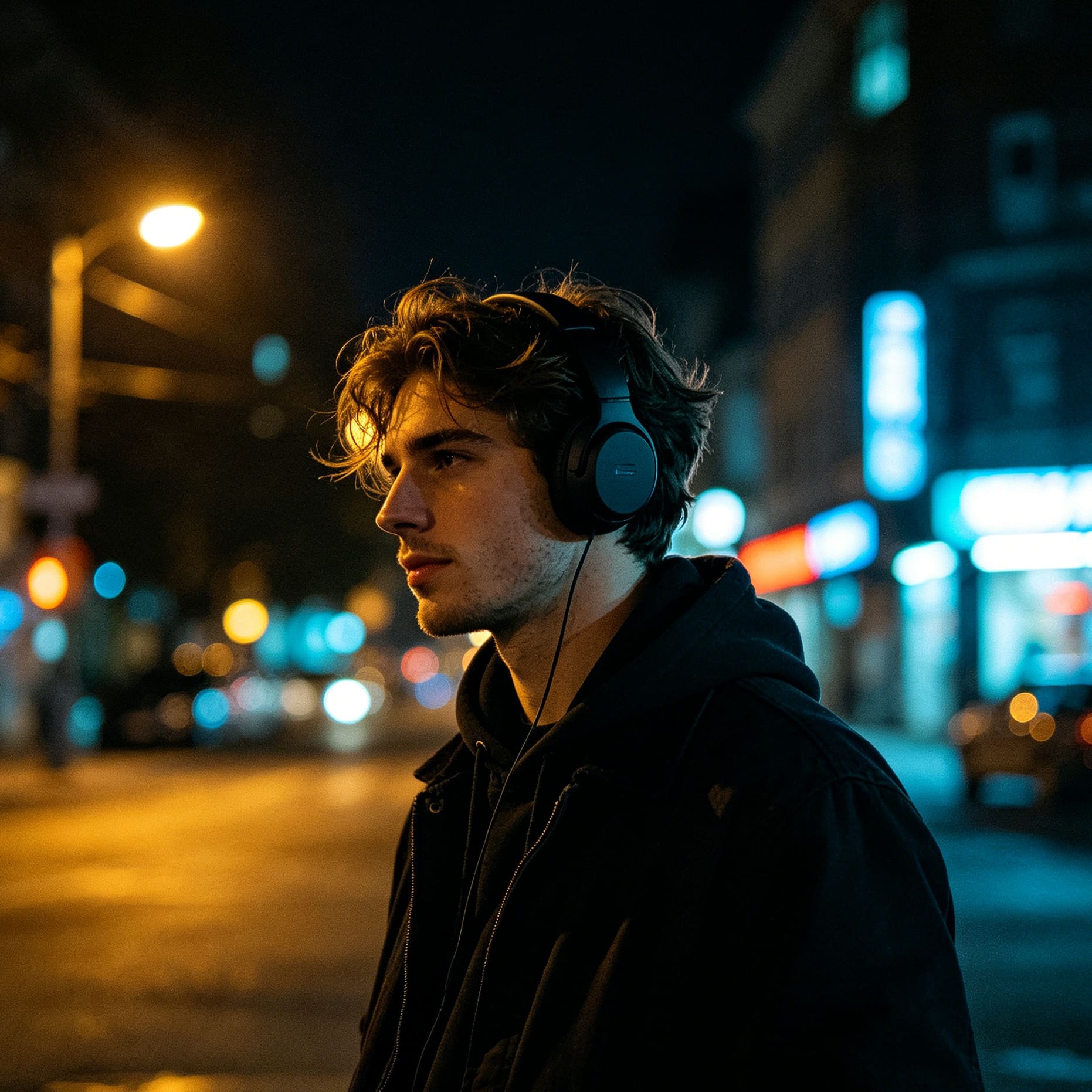
Prompt: "A cinematic professional headshot of a creative director in their late 30s, dark moody background with subtle architectural lines. Rim lighting accentuating the subject's profile, wearing a high-end charcoal cashmere sweater. Thoughtful, analytical expression. Shot on 50mm lens, f/2.8, professional color grading, magazine editorial style. Hyper-realistic, 8k, sharp focus on eyes, visible skin pores, textured fabric."
Why this works: "Rim lighting" creates a highlight around the edge of the subject, separating them from a dark background. This is a classic "creative" lighting setup that denotes depth and mystery.
The Software Engineer (Focused and Technical)
Prompt: "A professional photo of a software engineer sitting in a dimly lit office with the soft blue glow from multiple monitors reflecting on their face. Wearing a simple dark grey hoodie, focused expression. Background is a high-tech workstation with mechanical keyboards and blurred code on screens. Cinematic lighting, shallow depth of field, shot on 85mm lens, f/1.4, photorealistic, 8k resolution, highly detailed."
Why this works: The "blue glow" from monitors adds a realistic environmental light source that anchors the subject in their professional reality.
Healthcare and Scientific Professional Prompts
In fields like medicine and science, the prompts must emphasize cleanliness, precision, and compassion.
The Compassionate Physician (Trustworthy and Clean)
Prompt: "A professional portrait of a female physician in her 40s wearing a clean white medical coat over professional attire, a stethoscope draped naturally around her neck. Standing in a bright, modern clinic hallway with soft negative space. The lighting is even, bright, and clinical but warm. Her expression is compassionate and competent. 8k resolution, sharp focus, shot on Sony A7R IV, 85mm lens, f/2.0, neutral beige background, realistic skin tones."
Why this works: "Clinical but warm" lighting is a specific instruction that prevents the photo from looking too "cold" or "hospital-like," which can be off-putting.
The Research Scientist (Precise and Intellectual)
Prompt: "A professional profile photo of a male scientist in a lab coat, standing in front of a blurred laboratory background with glass equipment. He is holding a digital tablet at waist height. Focused, intelligent expression. High-contrast lighting, dark-on-light separation. Shot on 50mm lens, sharp detail on the subject's face and the texture of the lab coat. Professional, authentic, 8k."
Why this works: Mentioning "dark-on-light separation" ensures the subject doesn't blend into the background, a common issue in AI-generated white-coat photos.
Specialized Prompts for Legal and Financial Professionals
These roles require a high degree of "traditional" professionalism—sharp suits, classic architecture, and a sense of "gravity."
The Senior Attorney (Serious and Trustworthy)
Prompt: "A professional headshot of a male attorney standing in a courthouse corridor with marble pillars softly blurred in the background. He is wearing a classic charcoal three-piece suit with a conservative silk tie. Expression is serious, trustworthy, and authoritative. Even studio-style lighting with soft shadows. Shot on Canon EOS R5, 85mm lens, f/1.8, extremely high detail, sharp focus on eyes, realistic skin texture."
Why this works: The "three-piece suit" and "marble pillars" are strong visual anchors for the legal profession that Gemini identifies with high-status professional photography.
The Financial Analyst (Analytical and Sharp)
Prompt: "A professional portrait of a female financial analyst in a sleek, modern corporate office. She is wearing a tailored navy blazer and a white blouse. The background features glass walls and a hint of a city skyline. Lighting is sharp and directional, highlighting a focused and analytical expression. Shot on 85mm lens, f/2.2, professional color grading, clean and corporate, 8k resolution."
Why this works: "Directional lighting" adds a sense of "edge" and "precision," which aligns with the personality traits desired in finance.
How to Transform Your Own Photo with Gemini
Gemini allows for image-to-image transformations. If you are uploading a selfie and want to turn it into a professional headshot, you should use what is called a "Master Wrapper" prompt. This keeps your identity while changing the "style" of the photo.
The Identity-Preserving Wrapper
To use this, upload your photo and use the following instruction: "Transform the person in this photo into a professional [Role] headshot. Maintain the exact facial structure, eye color, and identity of the subject. Change the clothing to a [Specific Wardrobe] and the background to a [Specific Background]. Apply professional studio lighting (Rembrandt style) and 85mm lens characteristics. The result must be photorealistic with natural skin texture and sharp focus on the eyes. No distorted hands, no logos."
Why this is better than "generating a new person"
When you generate a new person from scratch, you have no control over identity. By using the transformation wrapper, you leverage Gemini's ability to map a professional environment onto a real face. In our experience, this is the most effective way for real-world professionals to use AI for LinkedIn.
Avoiding the "Uncanny Valley" in AI Portraits
The "Uncanny Valley" refers to images that look almost human but have something "off" that makes them unsettling. Here is how to avoid this when prompting Gemini.
1. The "Plastic Skin" Problem
AI often over-smooths skin. To fix this, always include:
- "Visible skin pores"
- "Natural skin texture"
- "Non-symmetrical facial features"
- "Subtle imperfections"
2. The "AI Eyes" Problem
AI eyes can sometimes look flat or have unnatural reflections. Use these terms:
- "Natural catchlights in the eyes"
- "Sharp focus on iris and pupils"
- "Realistic moisture and reflection"
3. The "Floating Head" Problem
If you only ask for a "headshot," the AI might crop too tightly. Use "Head-to-belt portrait" or "Mid-torso framing" to ensure the shoulders and upper body are included, which feels more natural and grounded.
Common Challenges and Prompt Fixes
Even with great prompts, Gemini might produce errors. Here is how to troubleshoot them.
| Issue | Prompt Adjustment |
|---|---|
| Blurry Face | Add "Sharp focus on eyes" and "85mm prime lens". |
| Extra Fingers | Append "Hands away from face" or "Hands in pockets". |
| Weird Background | Be more specific, e.g., "Solid neutral grey studio wall" instead of just "Background". |
| Cartoonish Look | Add "Photorealistic," "Shot on Sony A7R IV," and "High-end commercial photography". |
| Inconsistent Lighting | Specify the light source, e.g., "Natural window light from the left side". |
Summary of Best Practices for Gemini Photography
To consistently get professional results, keep these rules in mind:
- Be Specific: Mention the material of the clothes (silk, wool, cotton).
- Think Like a Photographer: Use lens sizes (35mm, 50mm, 85mm) and lighting styles (Softbox, Rim, Rembrandt).
- Control the Background: Use "Negative space" and "Shallow depth of field" to prevent clutter.
- Demand Realism: Use "Skin texture" and "8k" to avoid the plastic look.
- Iterate: If the first result is 80% there, add a "Crop Lock" line or specify a "Color Grade" to finish it off.
Frequently Asked Questions
What is the best lens to use in a Gemini prompt for portraits?
The 85mm lens is widely considered the best for portraits because it provides flattering compression and creates a clear separation between the subject and the background.
Can Gemini make an exact copy of my face?
While Gemini is excellent at maintaining general features during a "transformation" prompt, it may not produce a 100% identical twin. For the highest consistency, focus on "Maintaining facial structure and eye color" in your instructions.
Why do my AI photos look like cartoons?
This usually happens when the prompt is too short. Adding technical camera details (like "Shot on Canon EOS R5") and quality descriptors (like "Hyper-realistic skin texture") tells the AI to use its high-fidelity data sets rather than its "artistic" ones.
Should I include "8k resolution" in every prompt?
Yes. While Gemini doesn't literally output an 8k file, the keyword "8k" acts as a quality flag that pushes the model to include more fine-grained details in the generation process.
How do I get a professional background without it looking fake?
Use the term "Bokeh" or "Blurred office interior." By defining the background as "out of focus," you hide potential AI artifacts in the background while making the subject look more professional.
Can I prompt for specific clothing brands?
It is better to describe the clothing's style and material (e.g., "Charcoal wool blazer") rather than a brand name. This prevents the AI from trying to render text or logos, which it often struggles with.
How do I fix "distorted hands" in professional photos?
The best way to avoid hand issues is to use a "Head-to-chest" or "Studio headshot" framing where the hands are naturally out of the frame. If you need hands, specify a simple action like "Adjusting a jacket lapel" or "Holding a laptop at the hip."
What lighting is best for a "trustworthy" look?
"Natural window light" or "Softbox lighting" creates soft, even shadows that are generally perceived as more approachable and trustworthy than high-contrast, moody lighting.
Conclusion
Generating professional photos with Gemini is a matter of shifting from "description" to "cinematography." By using the technical language of professional photographers—85mm lenses, Rembrandt lighting, and specific framing—you can guide the AI to produce results that are indistinguishable from real studio shots. Whether you are a corporate executive, a creative artist, or a medical professional, these prompt frameworks provide the foundation for a high-impact digital presence.
-
Topic: 28 Gemini Prompts for Professional Photos | No Studio Needed - Tharinduhttps://tharindumanujaya.com/gemini-prompts-for-professional-photos/
-
Topic: 25 Gemini Prompts for Professional Photos - Imagine with Rashidhttps://imaginewithrashid.com/25-gemini-prompts-for-professional-photos/
-
Topic: 20+ Gemini Prompts for Proud, Role-Based Professional Profile Photoshttps://promptpiece.com/posts/template/gemini_prompts_for_professional_profile_photos/